
Live audience totals
See combined residents, private households, selected postal regions, and represented postal communities as the map selection changes.
Geographic audience sizing guide
Calculate the population and households across selected Canadian postal regions, then narrow the result using the characteristics that matter to your campaign.
Build an addressable geographic audience
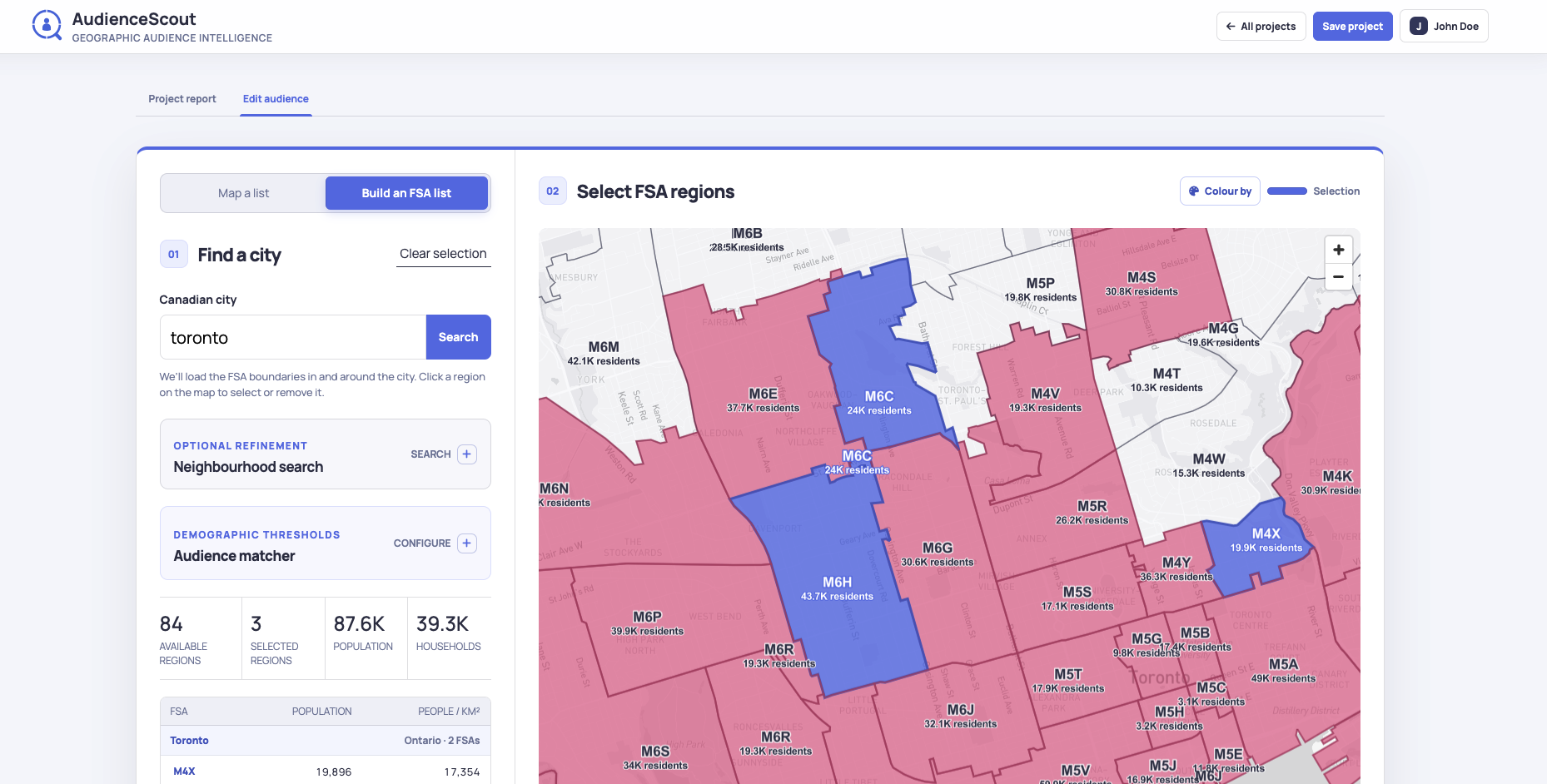
AudienceScout combines the population and households across the Canadian postal regions you select. Audience totals update immediately as the map selection changes, helping you compare a broad city-wide audience with a focused set of high-priority regions.
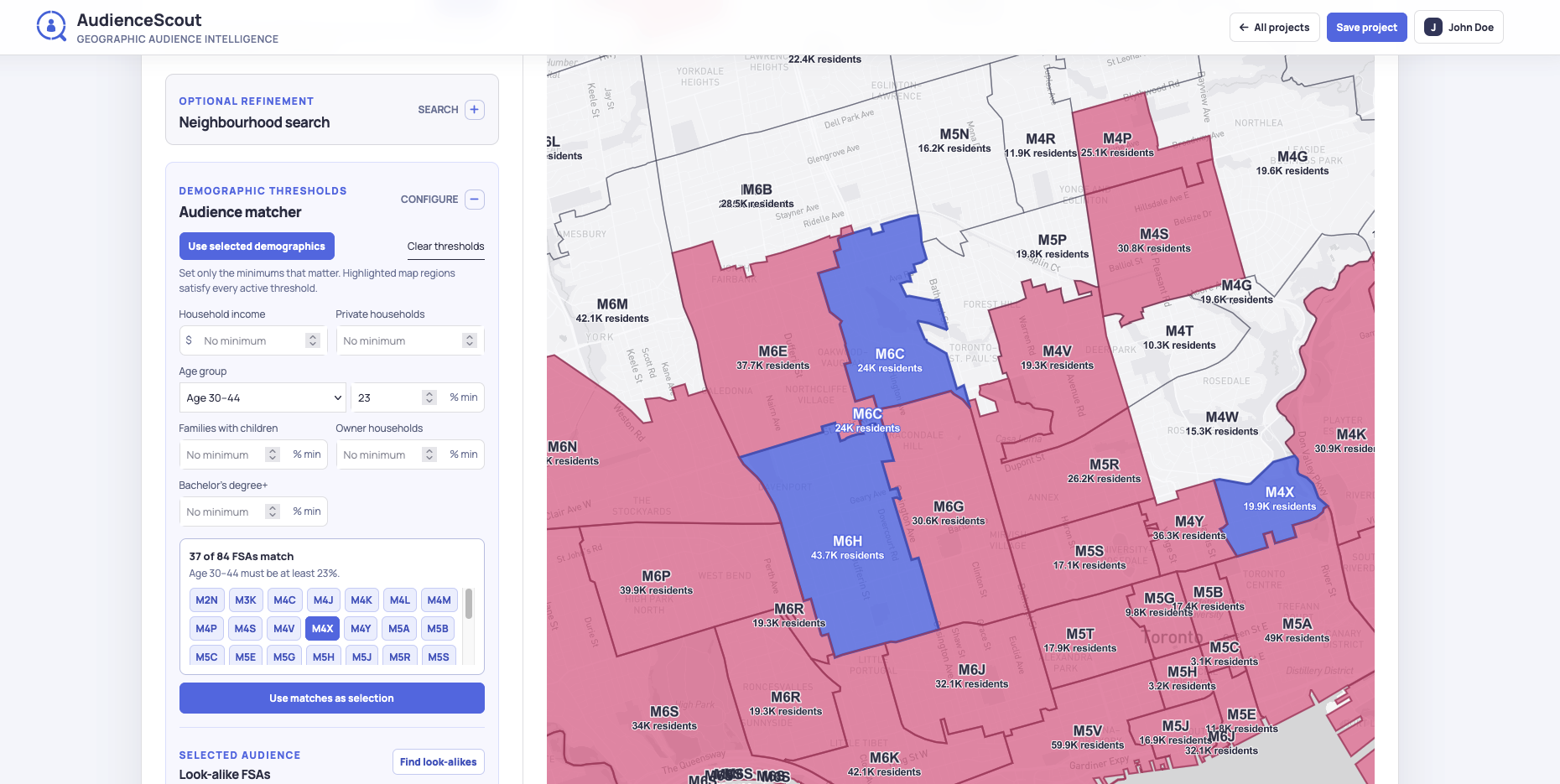
Use demographic thresholds to find postal regions that fit a target audience. Choose several age groups with an independent minimum for each, then add criteria for household income, private households, families with children, home ownership, or education. Regions satisfying every active threshold are highlighted on the map and can become the campaign selection in one action.
The result provides a geographic planning audience for media strategy, market prioritization, and service-area decisions. It can also be compared with imported customer concentration and modeled platform potential to decide where a campaign has both local fit and practical scale.
Geographic Audience Sizing features
Build a practical market view from the postal regions, measures, and campaign signals that support the decision.
See combined residents, private households, selected postal regions, and represented postal communities as the map selection changes.
Set the minimum characteristics required for the campaign and identify the regions where every selected condition is met.
Compare age, income, families, housing, education, business context, local facilities, and customer penetration in one regional view.
Convert the matching regions into a selected audience, then copy the Canadian FSA codes for digital or traditional campaign planning.
How it works
Move from Canadian postal geography to an audience and campaign plan your team can review and use.
Search for a city or municipality to display its FSA postal regions, population, households, and local audience profiles.
Select the demographic measures that connect to the offer. Add several age-group thresholds when the campaign needs a broader or multi-generational audience.
AudienceScout highlights regions satisfying every active threshold and shows how many postal areas match the target profile.
Use the matches as the selection to calculate the combined market size, inspect the audience profile, and export the geographic targeting list.
Audience definition
A clear audience definition helps teams move from a general customer profile to a geographic plan. AudienceScout makes each active criterion visible, so the selected regions can be reviewed, adjusted, and explained before they are used in a campaign.
The combined audience profile shows the scale and composition of the final selection. Modeled platform audience potential can support channel comparisons, while local business and facility context can add practical market signals for offers influenced by nearby services or commercial activity.
Ways to use it
Estimate the people and households represented by an FSA targeting list before configuring regional campaigns in advertising platforms.
Build a geographic audience around relevant age and household characteristics, then plan local digital, direct-mail, or awareness activity.
Show clients how audience criteria translate into specific postal regions, combined market size, and an explainable campaign footprint.
Geographic Audience Sizing questions
Select Canadian FSA postal regions directly or use audience thresholds to find matching regions. AudienceScout totals the population and private households across the selection and creates a combined area-level audience profile.
Yes. Add multiple published age groups and assign a different minimum percentage to each one. A postal region must satisfy every active age threshold along with any other selected criteria.
Audience matching supports household income, private household count, multiple age groups, families with children, owner households, and bachelor’s degree attainment. The selected audience can also be reviewed with additional demographic and local market context.
The main audience total represents residents and households within the chosen geography. Separate modeled platform potential helps compare channel fit using local age distributions and published Canadian usage patterns.
Yes. Import postal codes in bulk to map customer frequency and penetration, then use those regions as the starting point for the audience or compare them with other areas in the selected city.
Yes. Save the configuration and FSA selection as an AudienceScout project. Professional projects can produce downloadable reports and share a public read-only project report.
Related AudienceScout guides